 Parendi
Your finances. On your Mac. Nowhere else.
Parendi reads the statements you export from your bank, sorts every transaction into a category, and shows what you save, what you spend and where your net worth stands. No account and no cloud: everything stays on your Mac, and your bank never hears about it.
30 days to try it, then one purchase. macOS 26 or later.
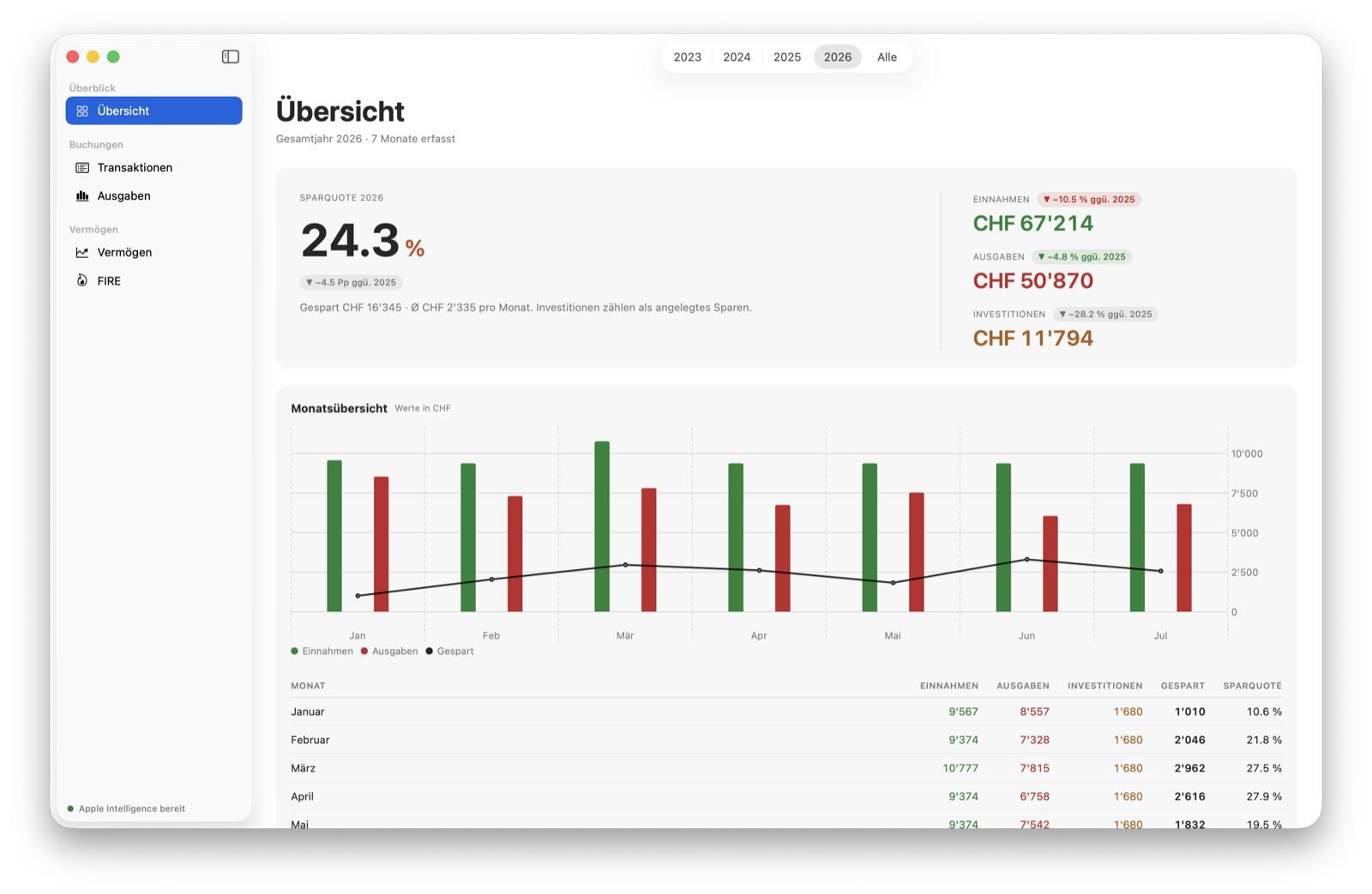
1. Export
Download the statement from your online banking. camt.053, CSV or Excel: whatever your bank offers will do.
2. Drop it in
Drag the file into the window. Mapping columns is a first-time job at most.
3. Look
Transactions are sorted, the numbers are there. What you make of them is entirely up to you.
What it does
A bank statement, turned into a picture.
A spreadsheet does this too, if you give it an hour every month. Here you keep the hour.
Import
The way your bank exports
camt.053 is the ISO 20022 statement Swiss banks hand out as XML. Parendi reads it as it is, with no column mapping: the account is in the file. For CSV and Excel exports the app works out the columns itself and remembers the mapping per format.
Re-importing a month you already have is expressly allowed: anything already stored is skipped, anything new is added.
Categories
Sorted before you look
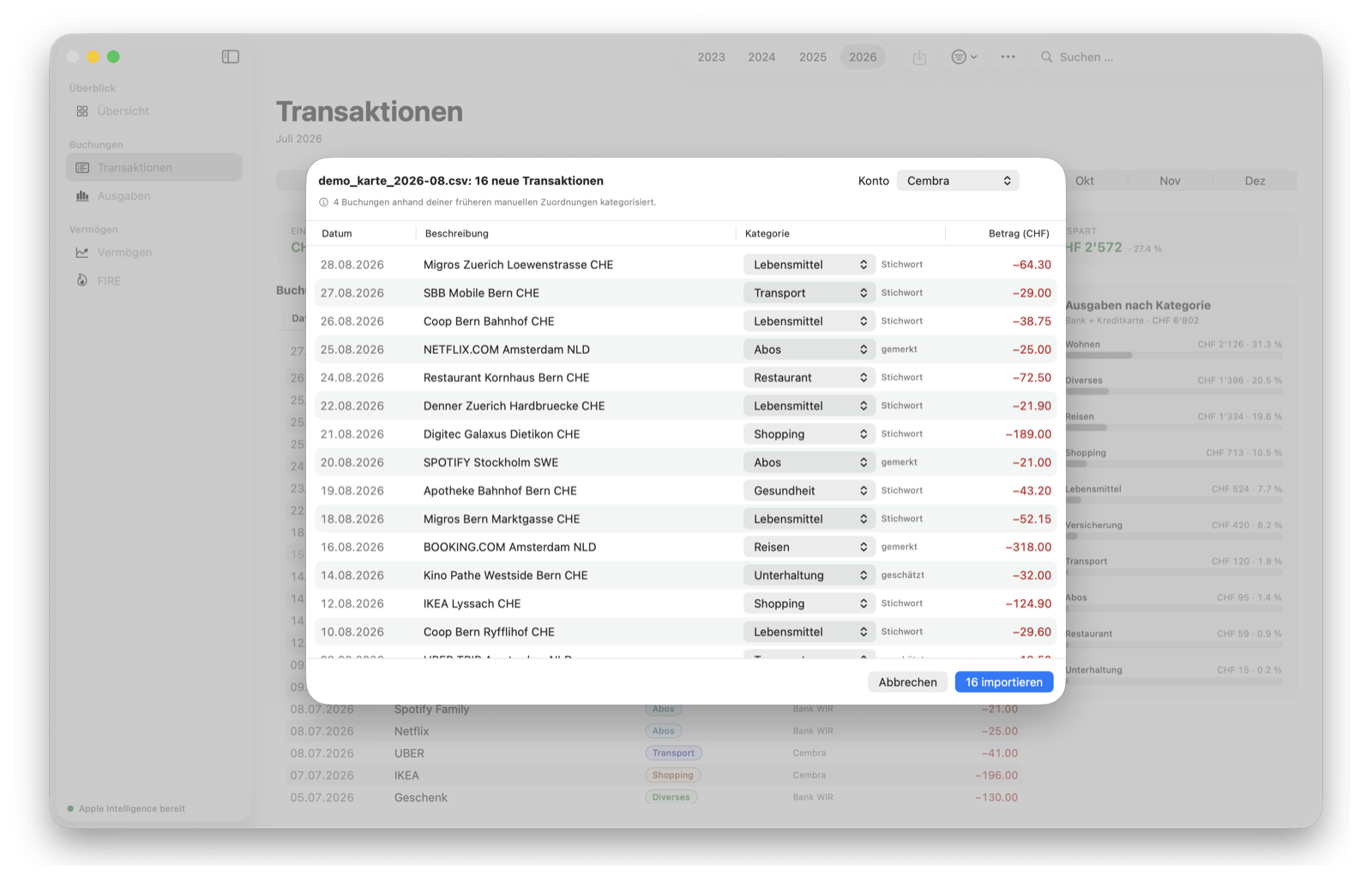
Every transaction lands in a category. What you have already shown the app counts first, then your keywords, then Apple Intelligence on your own Mac. Each row says where its suggestion came from.
Correct an assignment and the app remembers that exact transaction. There are no rules rewriting themselves behind your back.
Net worth and FIRE
And then the big number
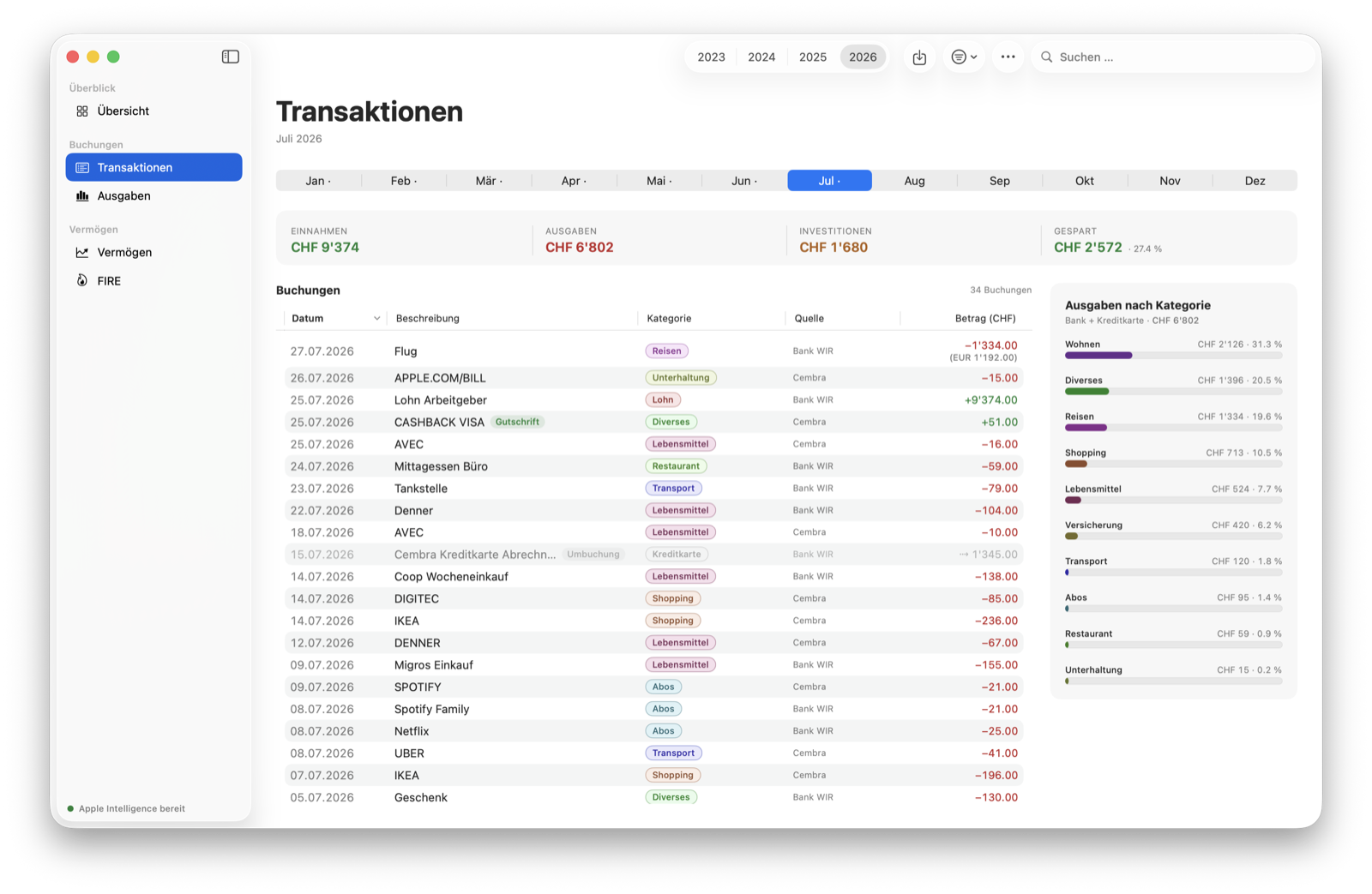
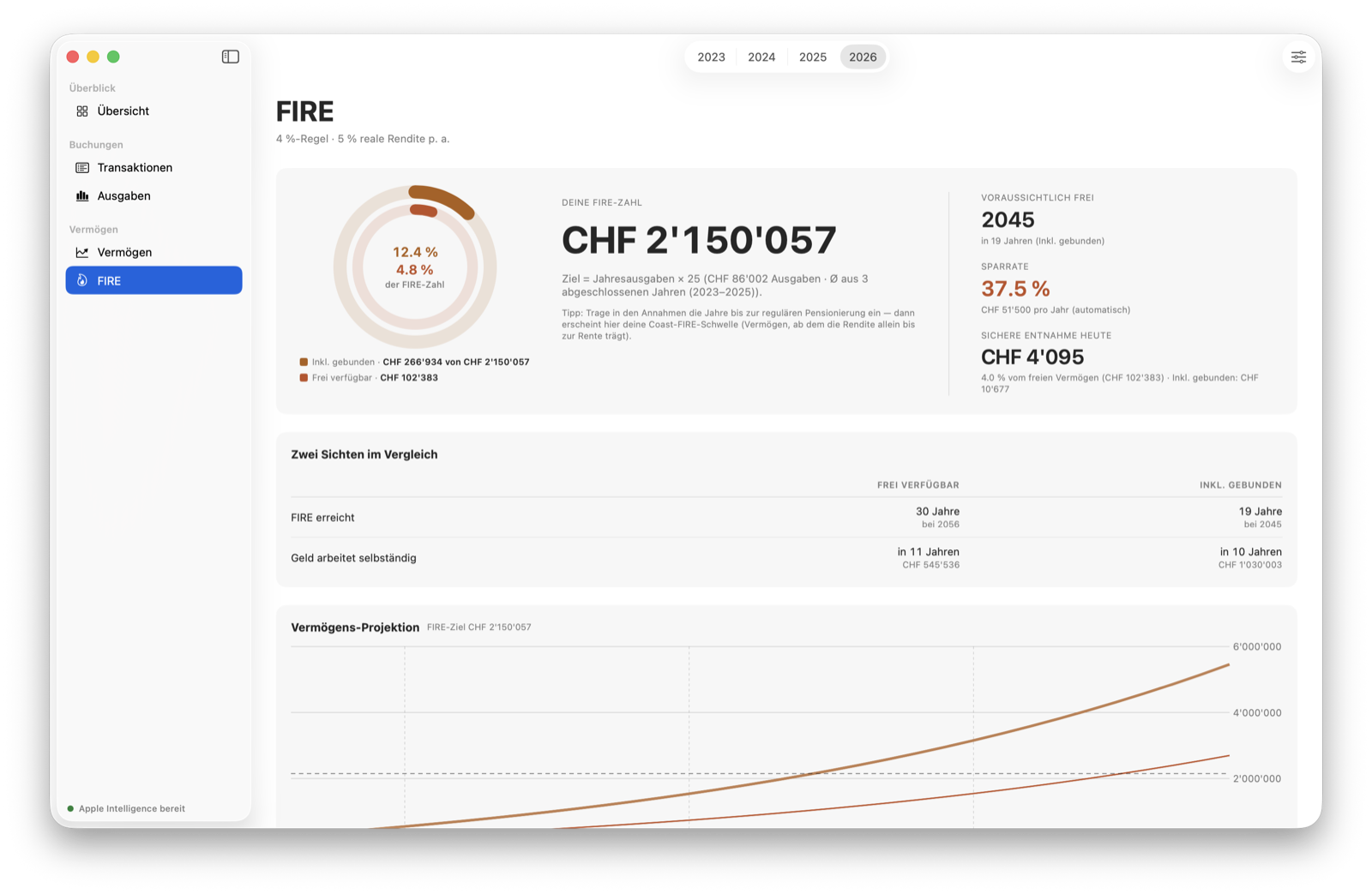
Brokerage account, pension, house, mortgage: you enter your positions once a month, or whenever suits you. The app charts the history and works out from your real spending when your assets can carry it.
Those numbers are already in the app, so you neither estimate them nor type them into a questionnaire.
Privacy
What Parendi never sees
A finance app doesn't need to know who you are. This one doesn't, and it would have no way of finding out.
Your bank login
There is no bank connection, and there is not meant to be one. You export, the app reads the file. Your login stays between you and your bank.
A server
Parendi talks to none. You sign in nowhere, and nothing is synced or counted.
Your data without you
Everything sits in a SQLite file on your Mac. The daily backup goes wherever you want it, and restores on another Mac.
Your data as leverage
When the trial ends the app becomes read-only. Reading, searching, copying and backing up stay open, even if you decide against buying.
Pricing
Buy it once. Done.
One price, one purchase. There is no Pro tier and no feature waiting behind a second checkout. Other finance apps bill monthly because their bank connection costs them money every month. There isn't one here.
- 30 days to try it, counted from your first import rather than the install
- Extendable once by another 30 days, inside the app
- Read-only after that, until you buy. Your data stays usable
- The App Store sets the price in euros

macOS 26 or later.
Where the name comes from
Parendi stands for abundance
Parendi is an old Iranian name. In the Avesta, the scriptures of Zoroastrianism, Parendi is the companion of Ashi, "she who allots what is due". My roots are Iranian, hence the name.