
Pictures and text for Parendi
The icon, screenshots in light and dark, and the app in three lengths. Take what you need, no permission required and nothing here is under embargo.
Everything in one archive
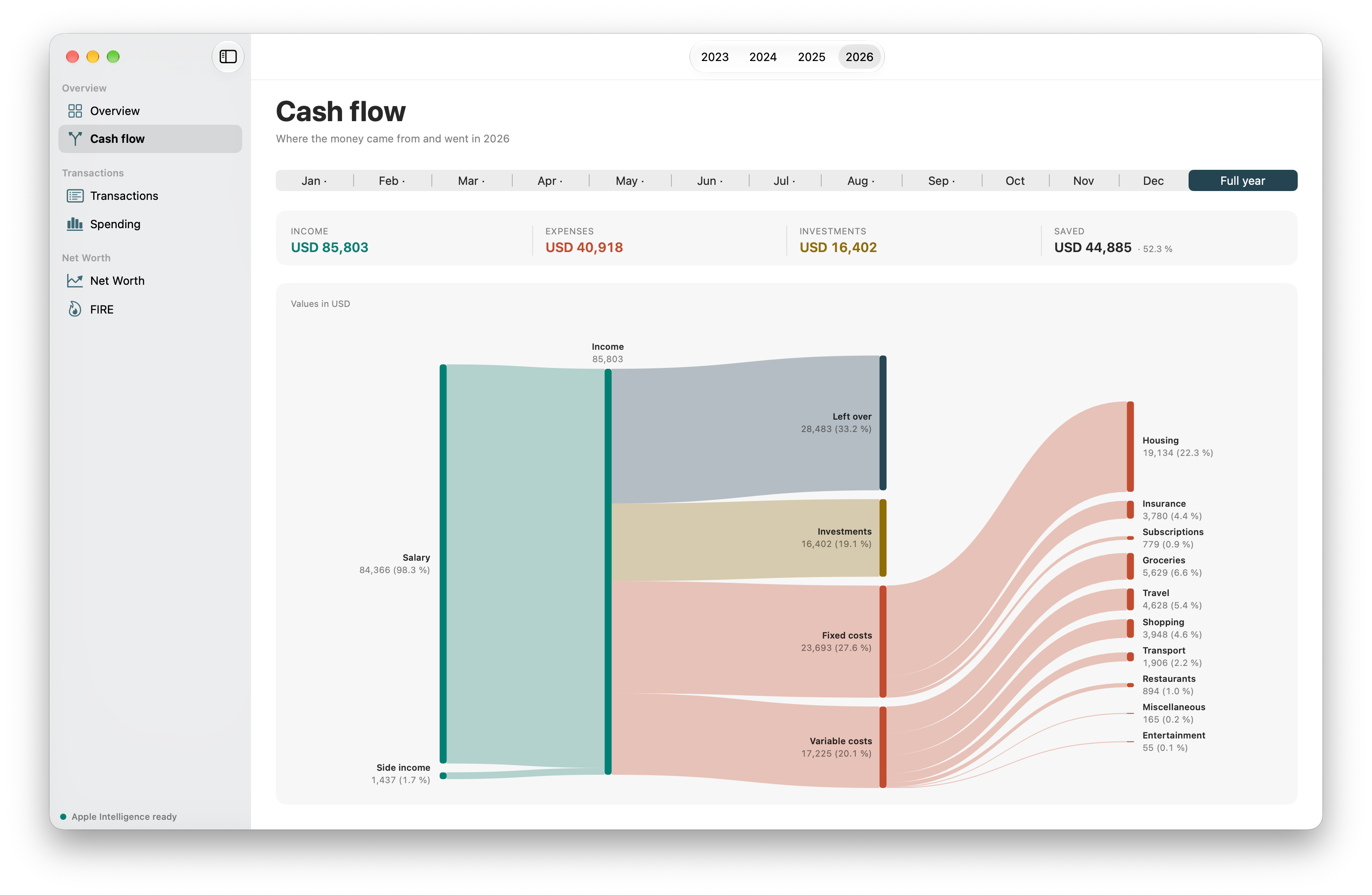
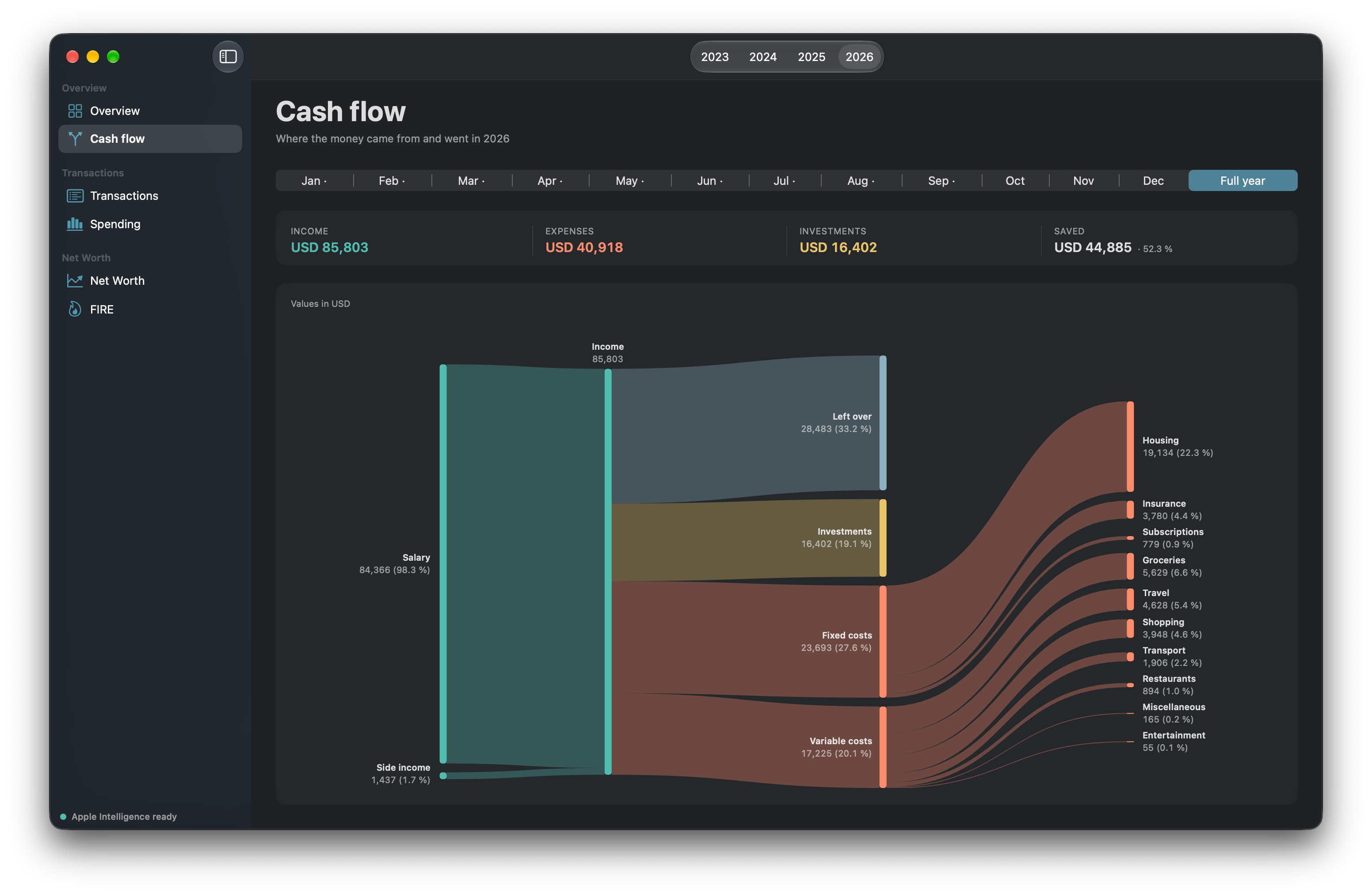
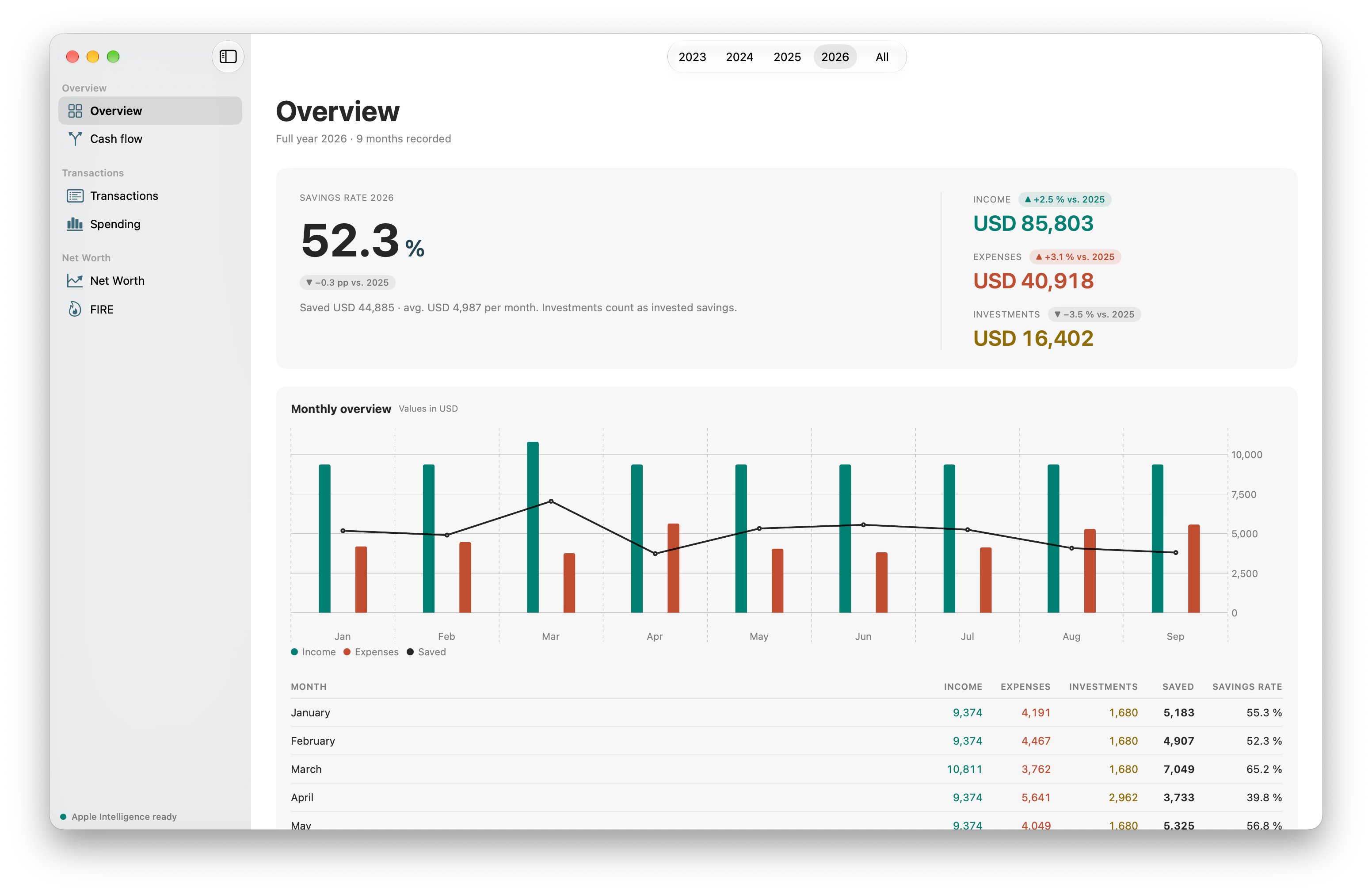
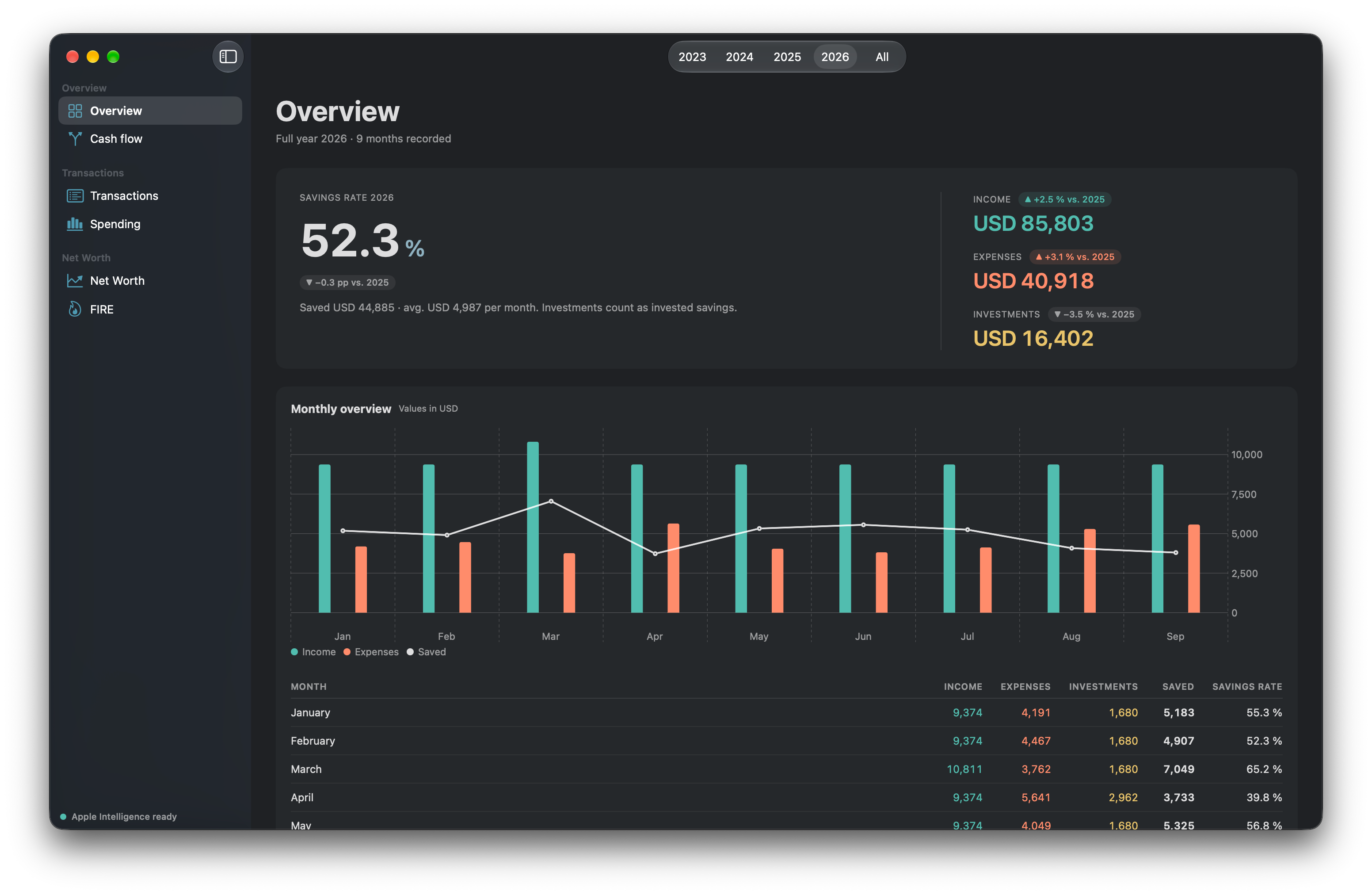
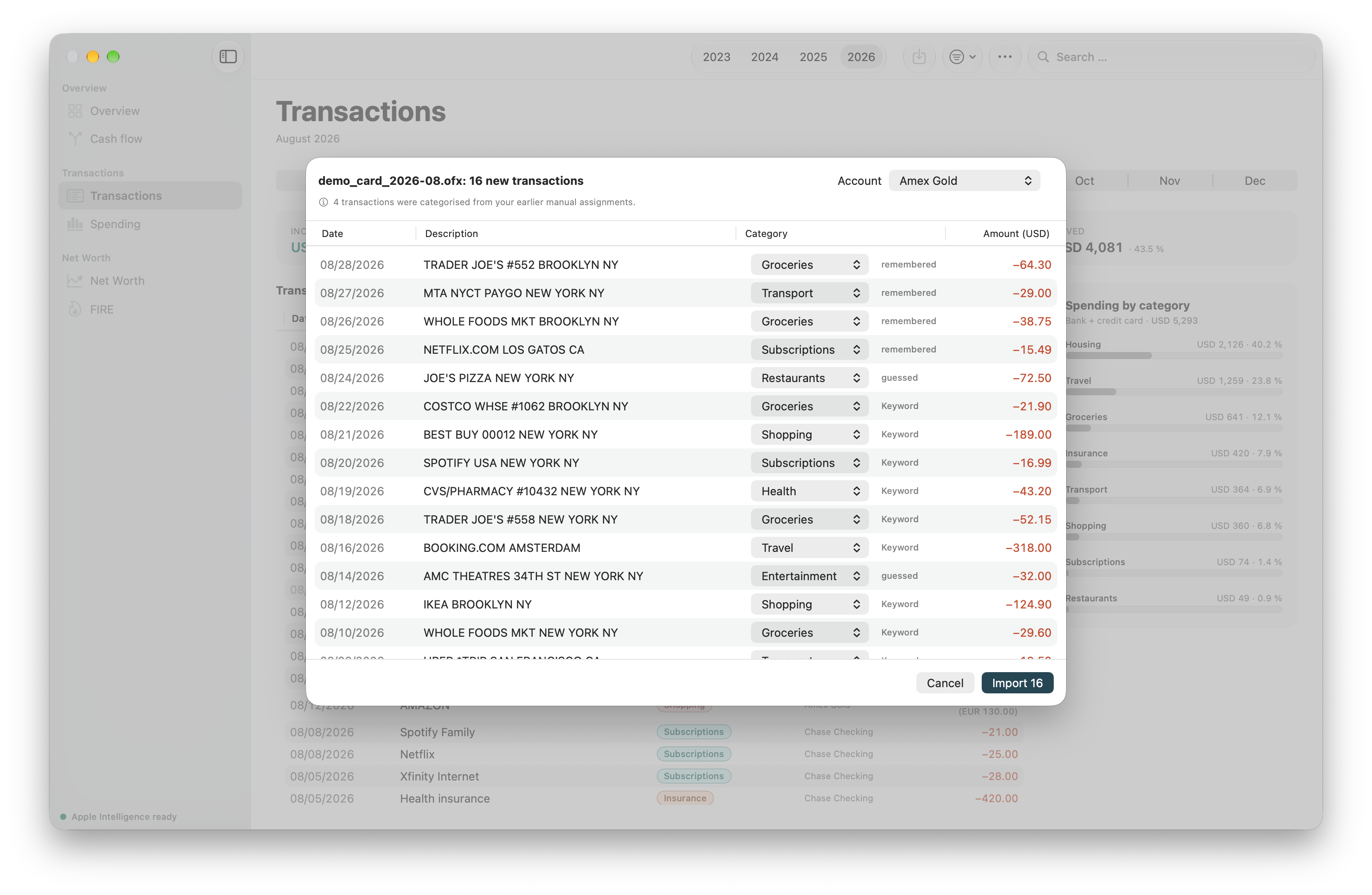
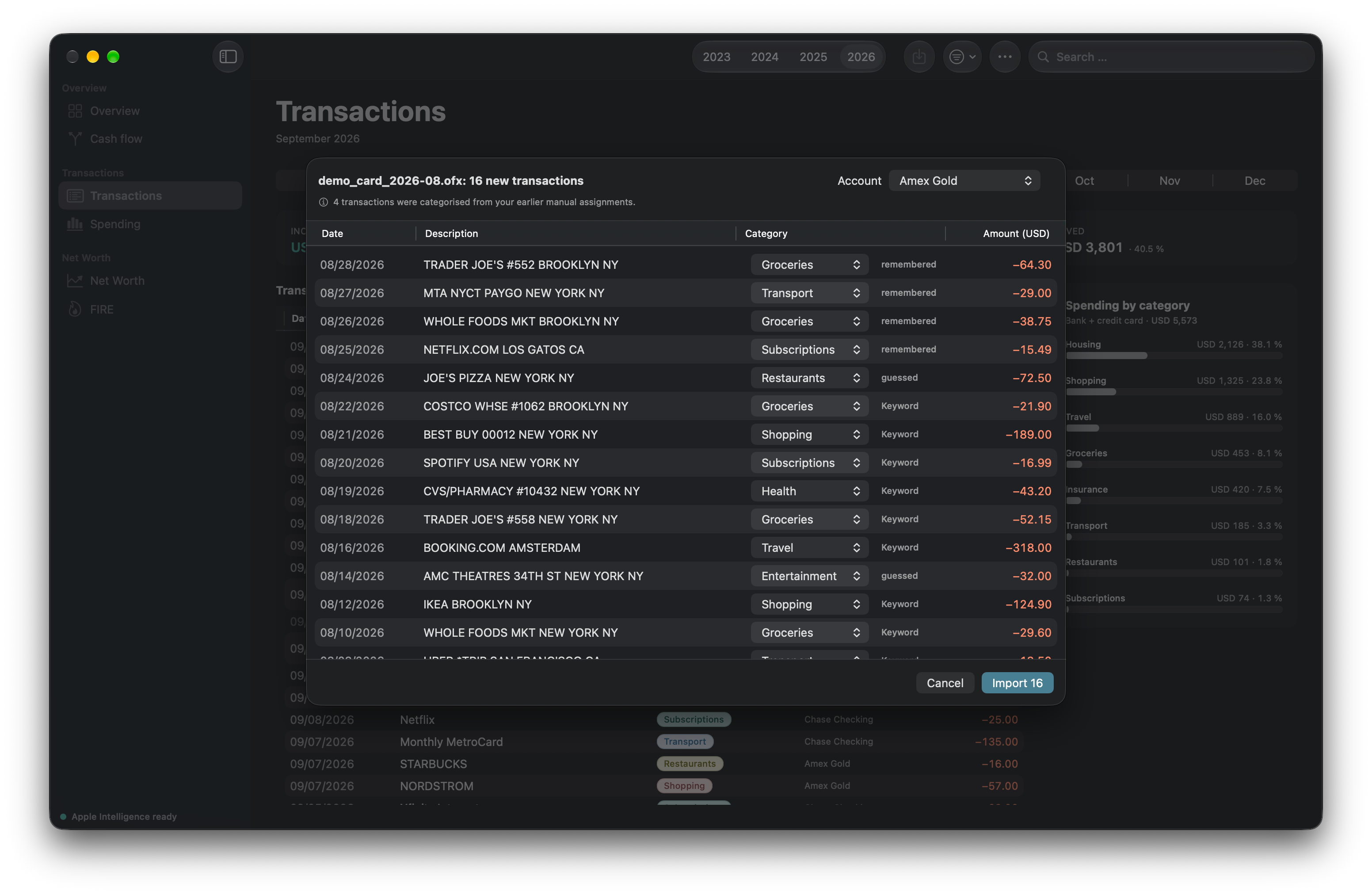
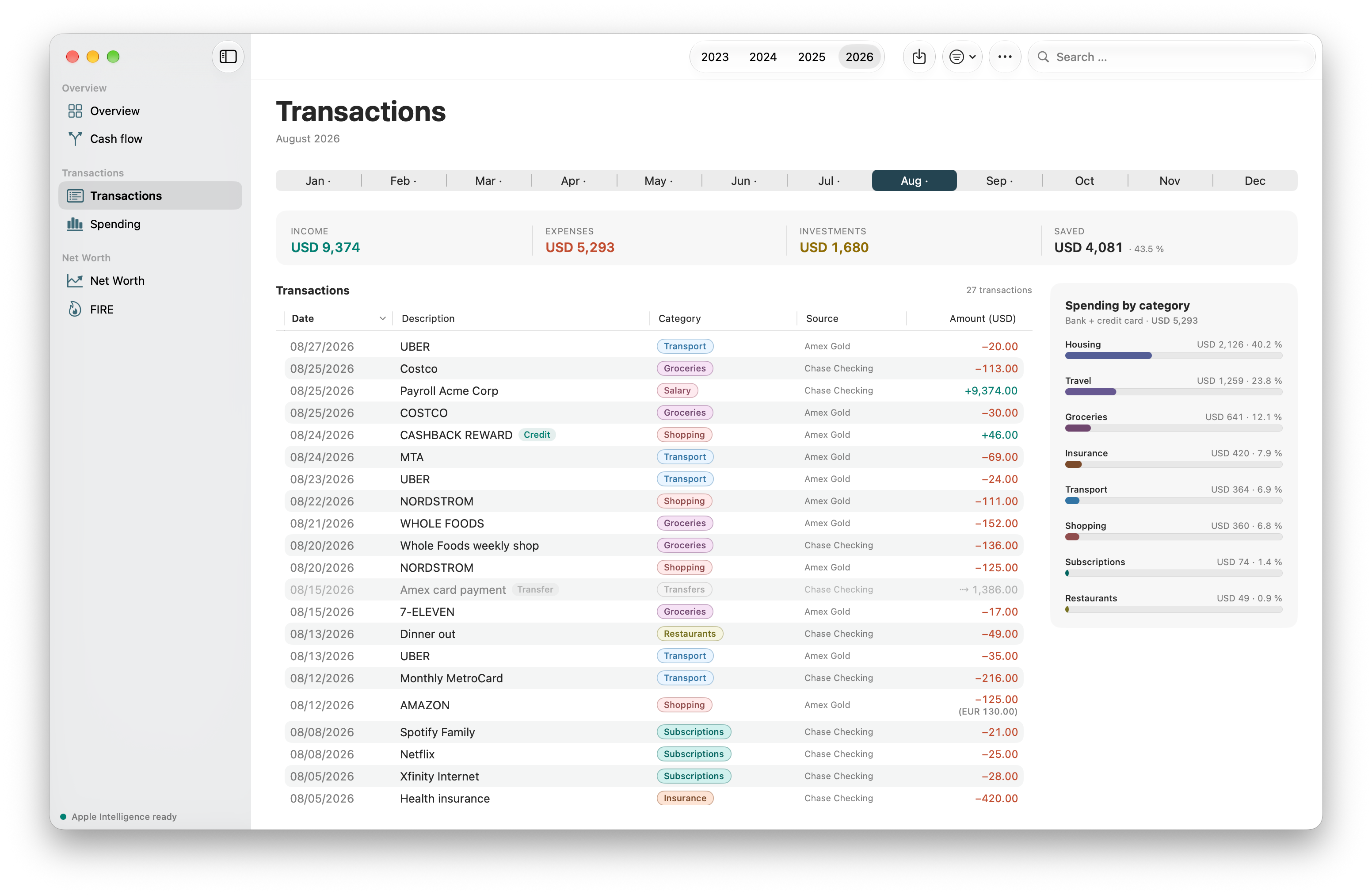
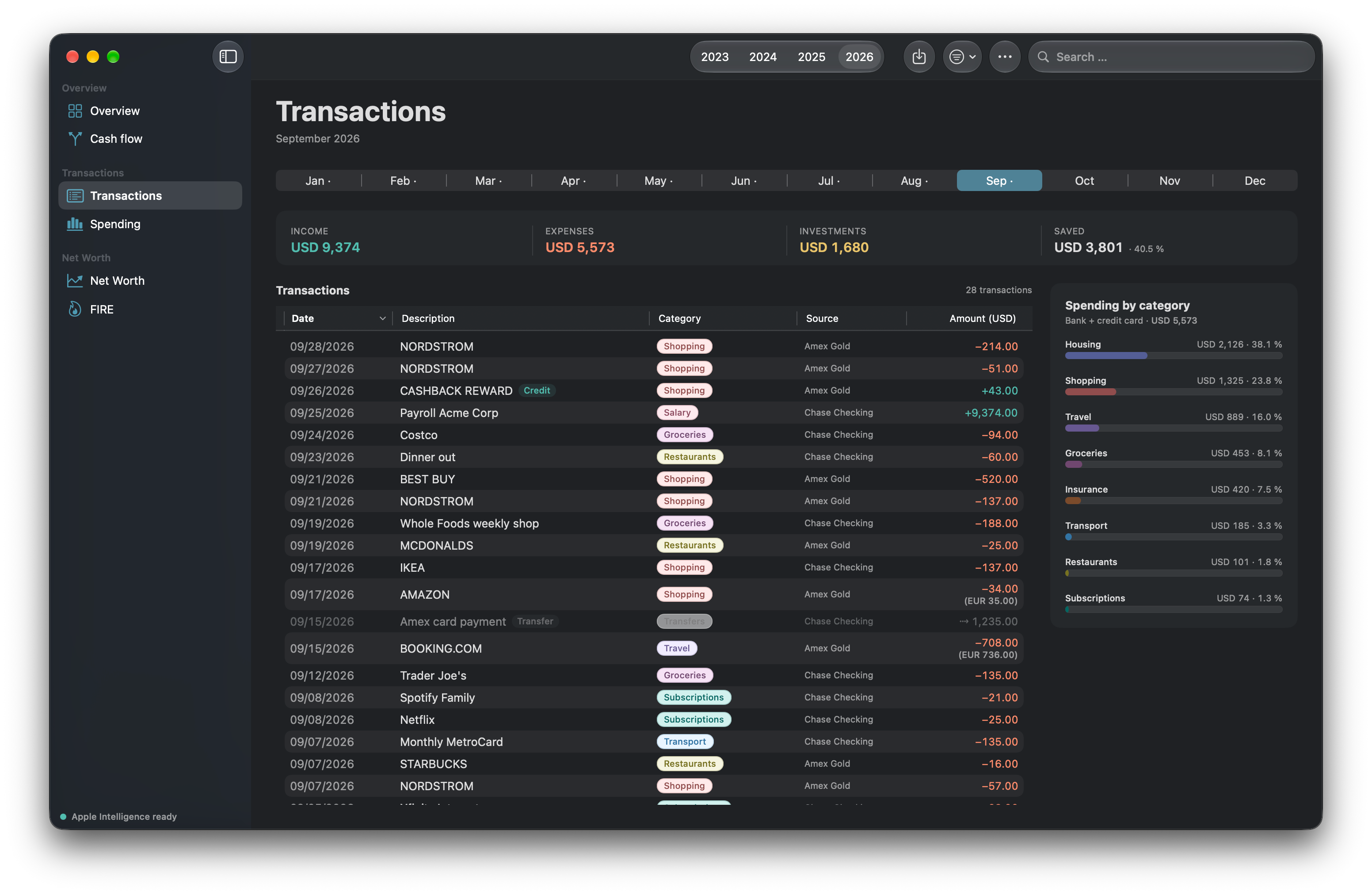
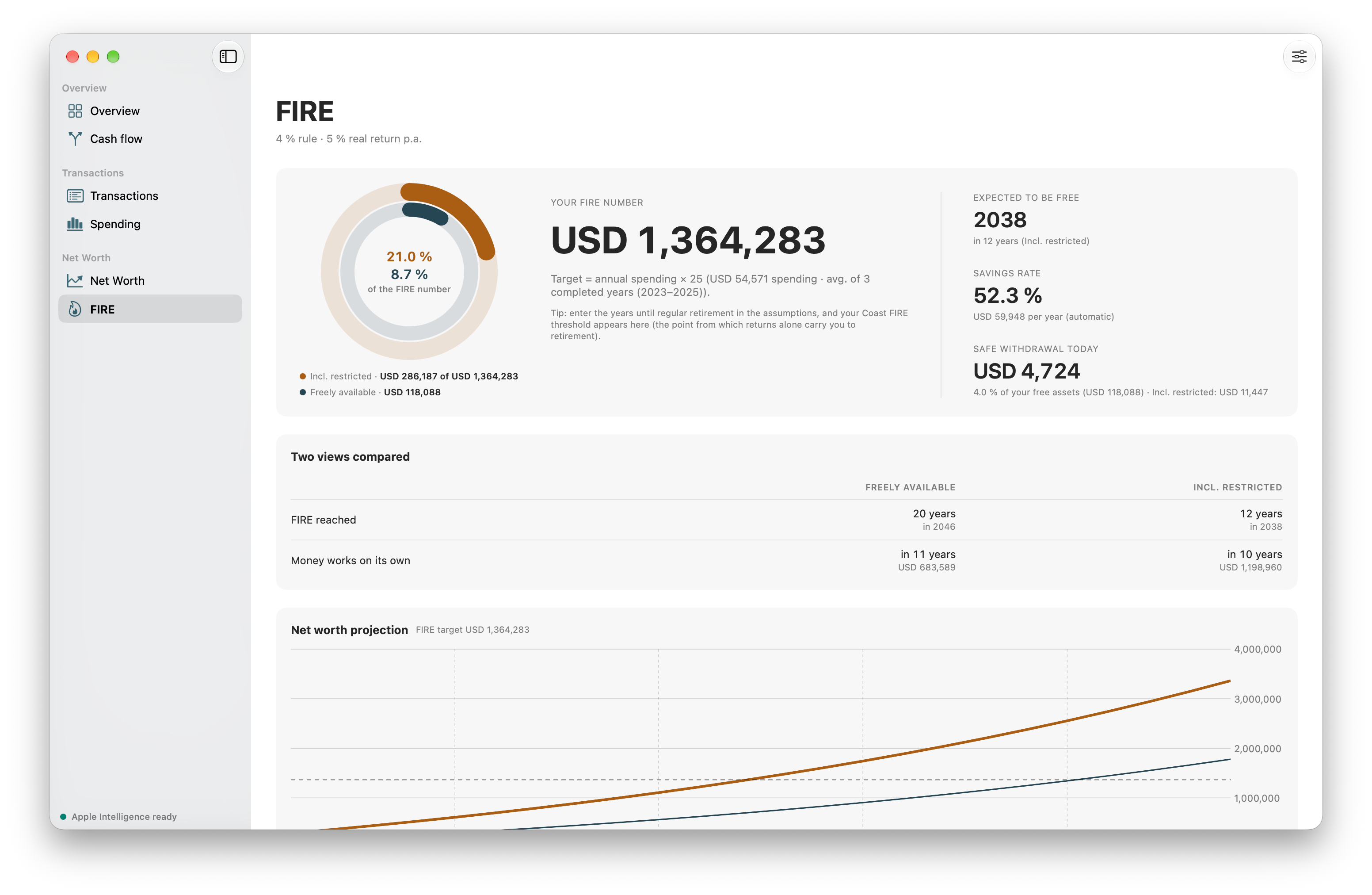
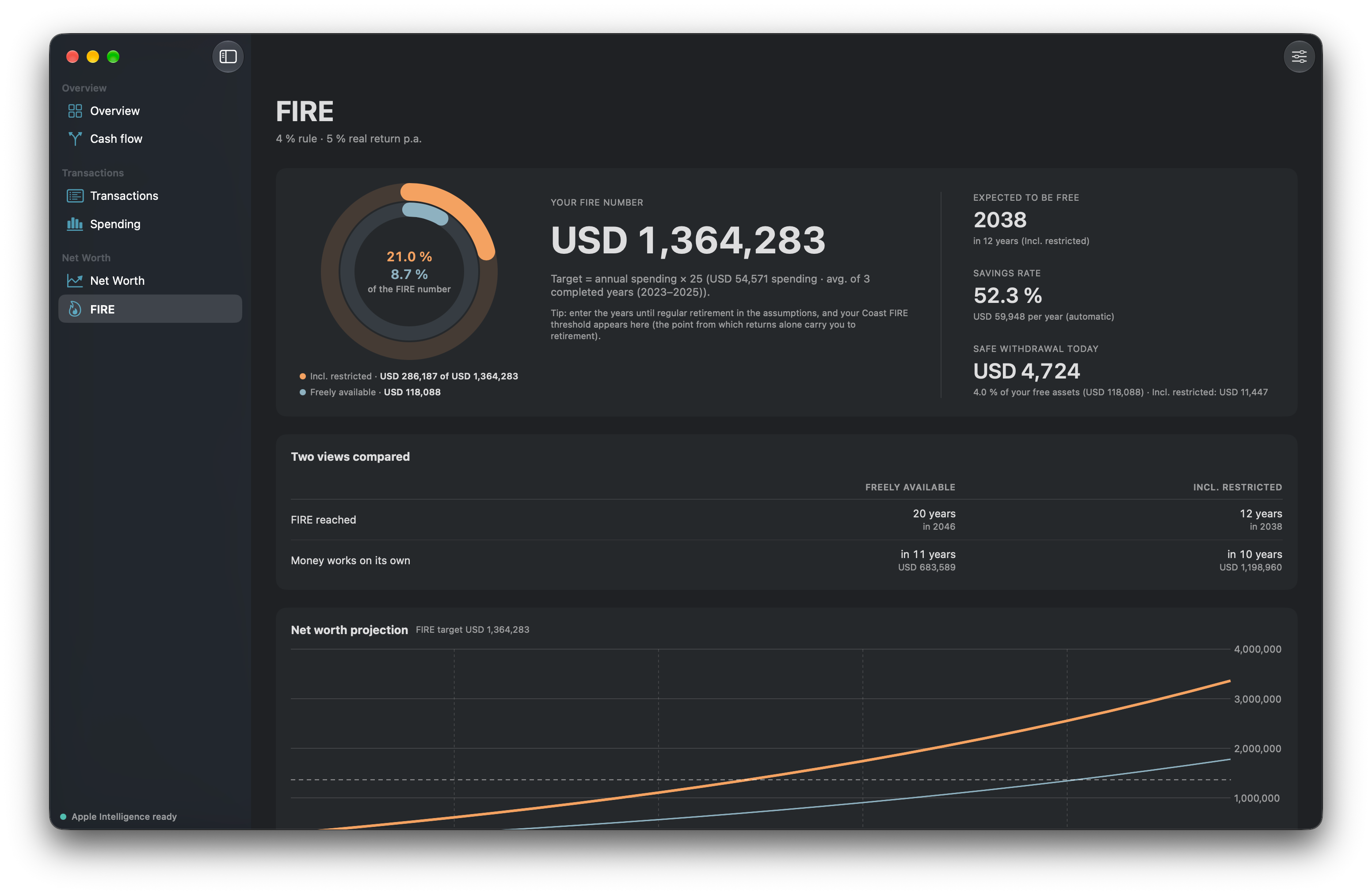
The icon in light and dark, the screenshots in light and dark, and the three descriptions as a text file. The screenshots show the window in full resolution with transparent corners, so they sit on any background.
Download the press kit ZIP, 12.1 MB
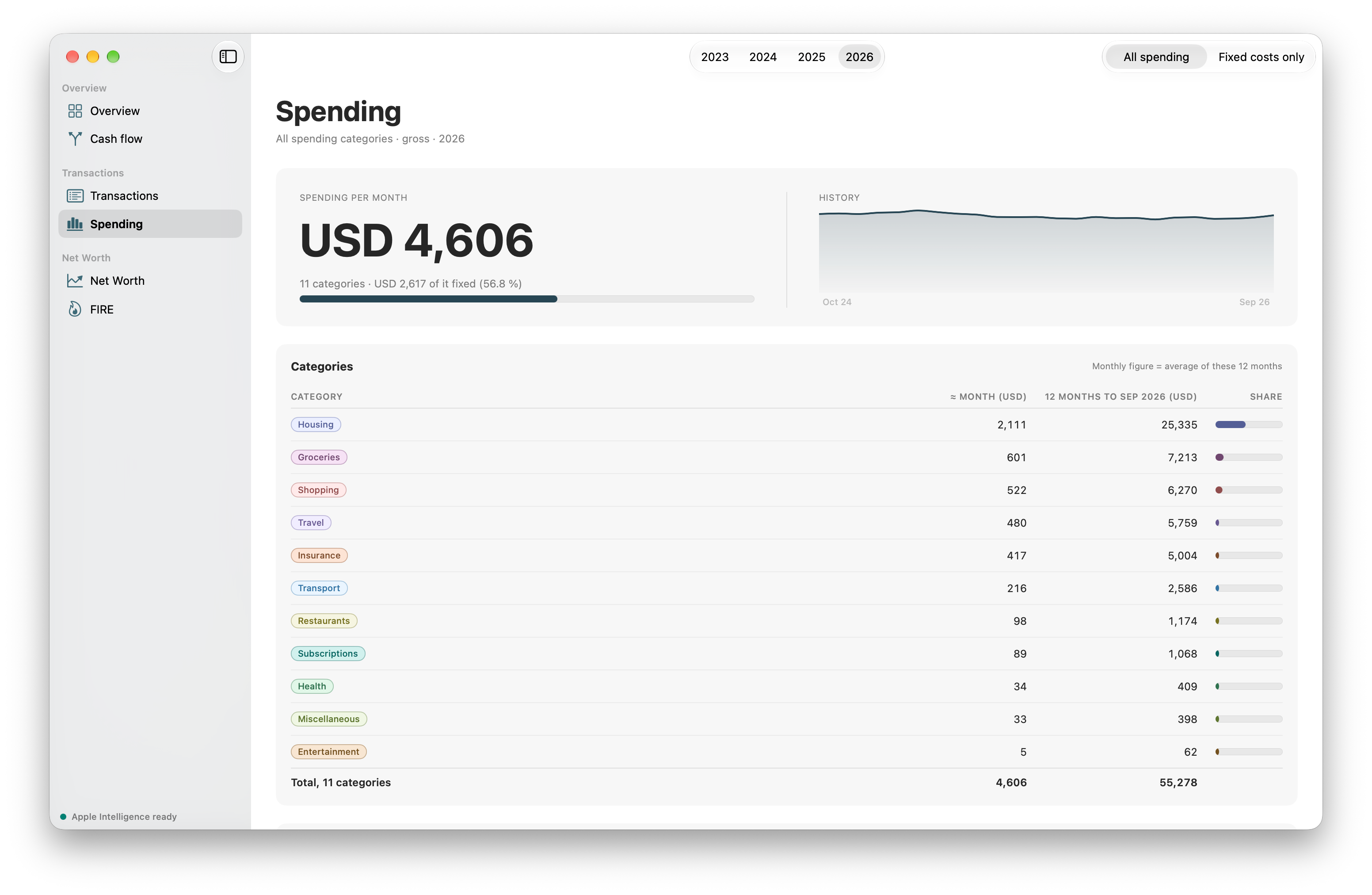
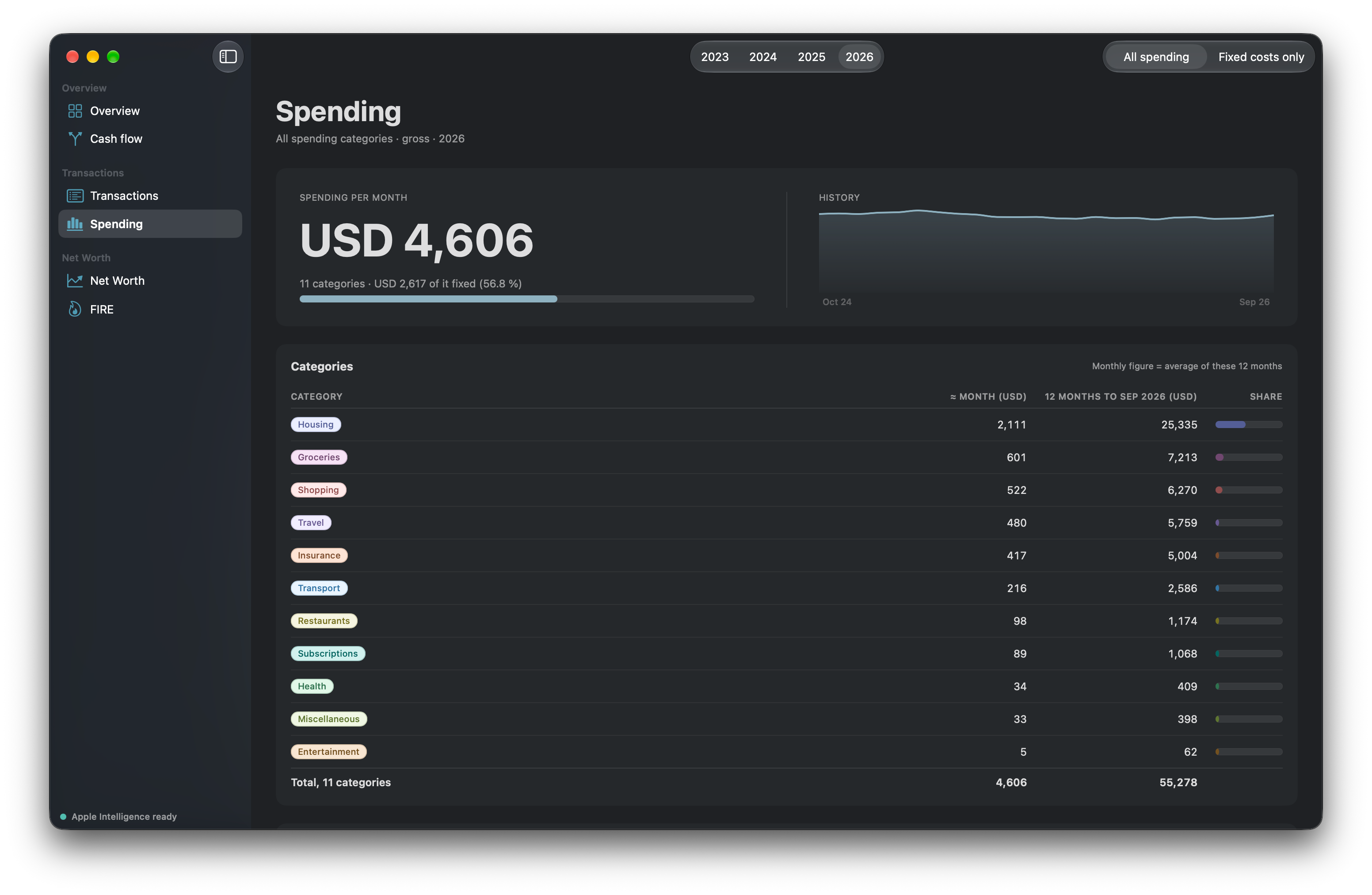
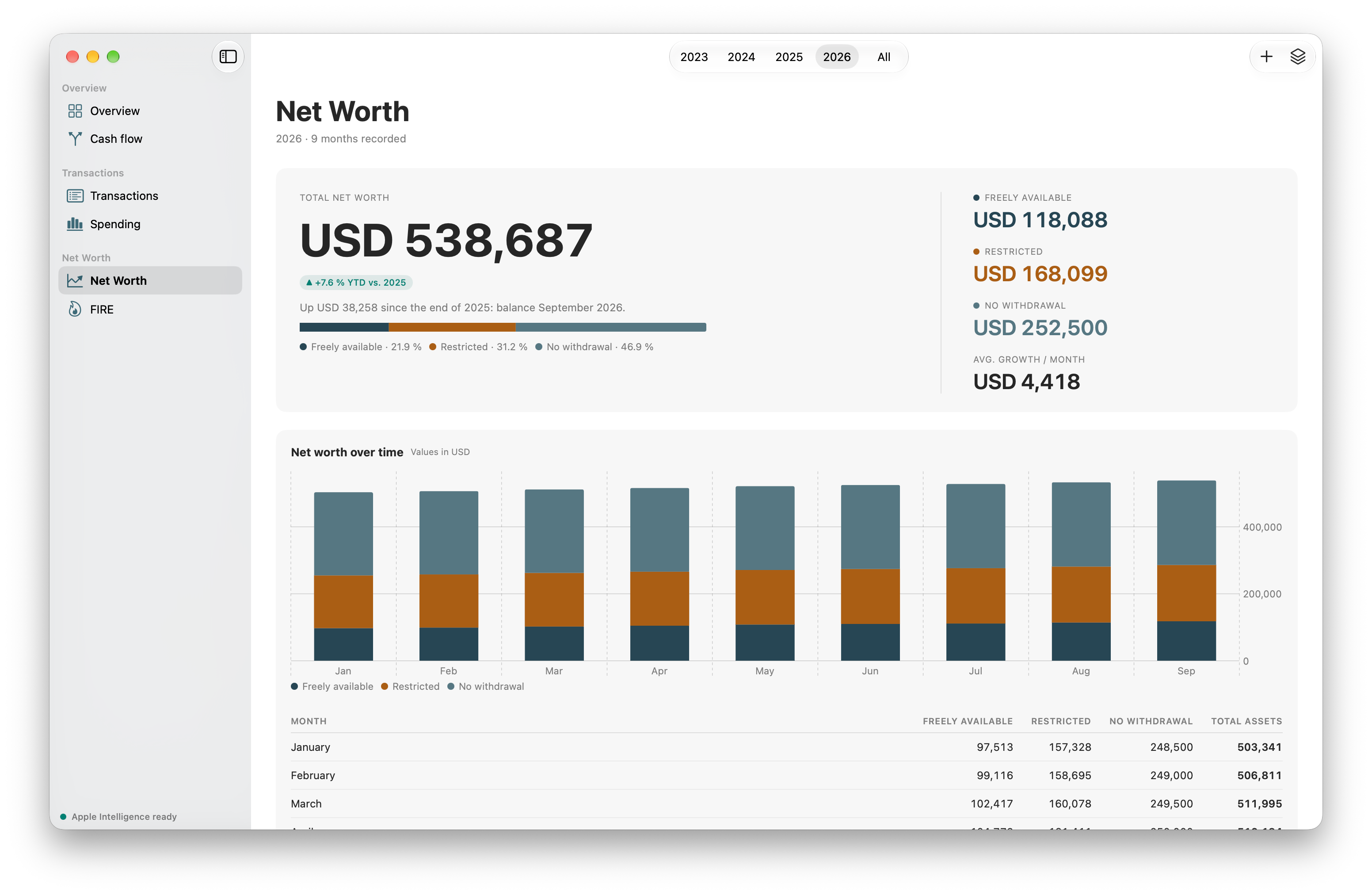
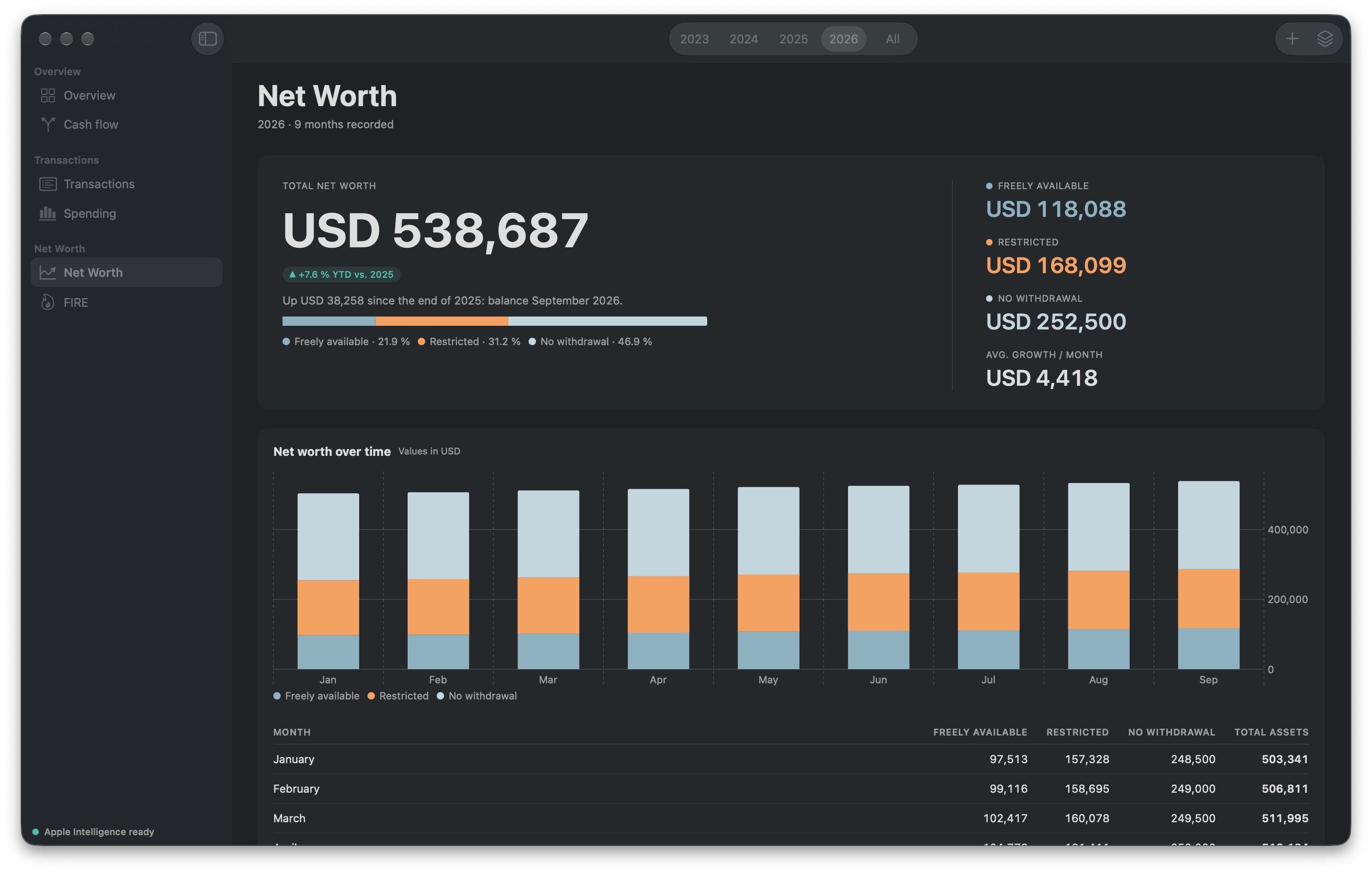
The screenshots show the English interface with American sample data in US dollars, the same for every language. Parendi speaks seven languages and follows the system language.
The app in three lengths
Short, 37 words
Parendi is a personal finance app for the Mac. It reads the statements you export from your bank, sorts every transaction into a category and does the arithmetic on your machine: no cloud, no account, no subscription.
Medium, 82 words
Parendi is a personal finance app for the Mac. The file from your online banking goes in as camt.053, OFX, CSV or an Excel sheet, the transactions sort themselves into categories, and out come your savings rate, cash flow, spending, fixed costs, net worth and FIRE number. Whatever the app does not already know, Apple Intelligence sorts on the device. The data comes from the exported file and stays on your Mac, without a sign-in or a bank connection. You pay once.
Long, 202 words
Parendi is a personal finance app for the Mac, and it grew out of a spreadsheet that had got too big over the years. Statements come out of online banking as camt.053, OFX, CSV or Excel, the transactions sort themselves into categories, and the numbers are there straight away: savings rate, spending per category, fixed costs, net worth and the FIRE number. A diagram shows, for a year or a month, where the money came from and where it went, with fixed costs as a step of their own. Credit cards are counted once rather than twice, because the app recognises the payment of the card bill as a transfer. Whatever the app does not already know, Apple Intelligence suggests on the device, and the import works without it. macOS gives the app no network access, which leaves it no way out at all: bank connections, accounts and cloud storage simply do not appear in it, and there are no credentials for anyone to lose. The templates cover eleven countries, among them Switzerland, Germany, France, the UK, the US and Japan, and any other country starts from a neutral one. Everywhere, the app takes its currency and number format from the Mac.
The facts
- Price CHF 30 once, EUR 34.99 in the euro zone, USD 34.99 in the US. Everywhere else the App Store shows the price in the local currency. The app downloads for free and one in-app purchase unlocks it. No subscription, no ads.
- Trial 30 days from the first import, extendable once by another 30. After that the app stays readable instead of locking itself.
- Requirements macOS 26 or later. Suggestions from Apple Intelligence need a Mac with it turned on; the import and every calculation work without it.
- App Store apps.apple.com/app/id6806927472
- Developer Missaq Ataschi in Solothurn, Switzerland. Parendi is a solo project.
- Languages German, English, French, Italian, Spanish, Portuguese (Brazil) and Japanese, following the system language.
- Data Parendi collects nothing, has no user accounts and opens no network connection. What you import stays in a file on your Mac. parendi.app/en/privacy
- Formats camt.053 and OFX/QFX with no mapping at all, plus CSV and Excel with one mapping per header row, which the app remembers.
- Regions Category and pension templates of their own for Switzerland, Liechtenstein, Germany, Austria, France, Italy, Spain, the UK, the US, Brazil and Japan, each with the country's retirement accounts, such as the pillar 3a, the ISA, the 401(k) or NISA. Every other country starts from a neutral template: the same categories, one general retirement position and keywords only for brands found everywhere. Country, currency and number format come from the Mac, and the currency can be changed in Settings.
A copy to try
The 30 days only start with the first import, so a look around the app costs nothing but the download. For a longer look, or to write about the purchase itself, there is an offer code that unlocks the full version for good. A mail is enough, and nothing is expected in return.
The files, one by one
If the archive is more than you need. The icon comes in its final shape with transparent corners; the screenshots show the window with no banner and no headline.
- icon-1024.png 1024 × 1024 · 488 KB
- icon-1024-dark.png 1024 × 1024 · 515 KB
- mac-cash-flow.png 3104 × 2024 · 898 KB
- mac-cash-flow-dark.png 3104 × 2024 · 905 KB
- mac-overview.png 3104 × 2024 · 871 KB
- mac-overview-dark.png 3104 × 2024 · 885 KB
- mac-import.png 3104 × 2024 · 1369 KB
- mac-import-dark.png 3104 × 2024 · 1290 KB
- mac-transactions.png 3104 × 2024 · 1133 KB
- mac-transactions-dark.png 3104 × 2024 · 1187 KB
- mac-spending.png 3104 × 2024 · 855 KB
- mac-spending-dark.png 3104 × 2024 · 879 KB
- mac-net-worth.png 3104 × 2024 · 840 KB
- mac-net-worth-dark.png 2972 × 1892 · 603 KB
- mac-fire.png 3104 × 2024 · 882 KB
- mac-fire-dark.png 3104 × 2024 · 906 KB


Using them
Use the pictures as they are or crop them, in print and online. The icon keeps its shape and its colour. There is no wordmark; the name is simply set as a word: Parendi, with nothing added and never in all caps.
Contact
Questions and offer codes go to support@parendi.app. Mails in German are answered in German.
Last updated: 2026.